Scaling Global Workloads for Massive Infrastructure

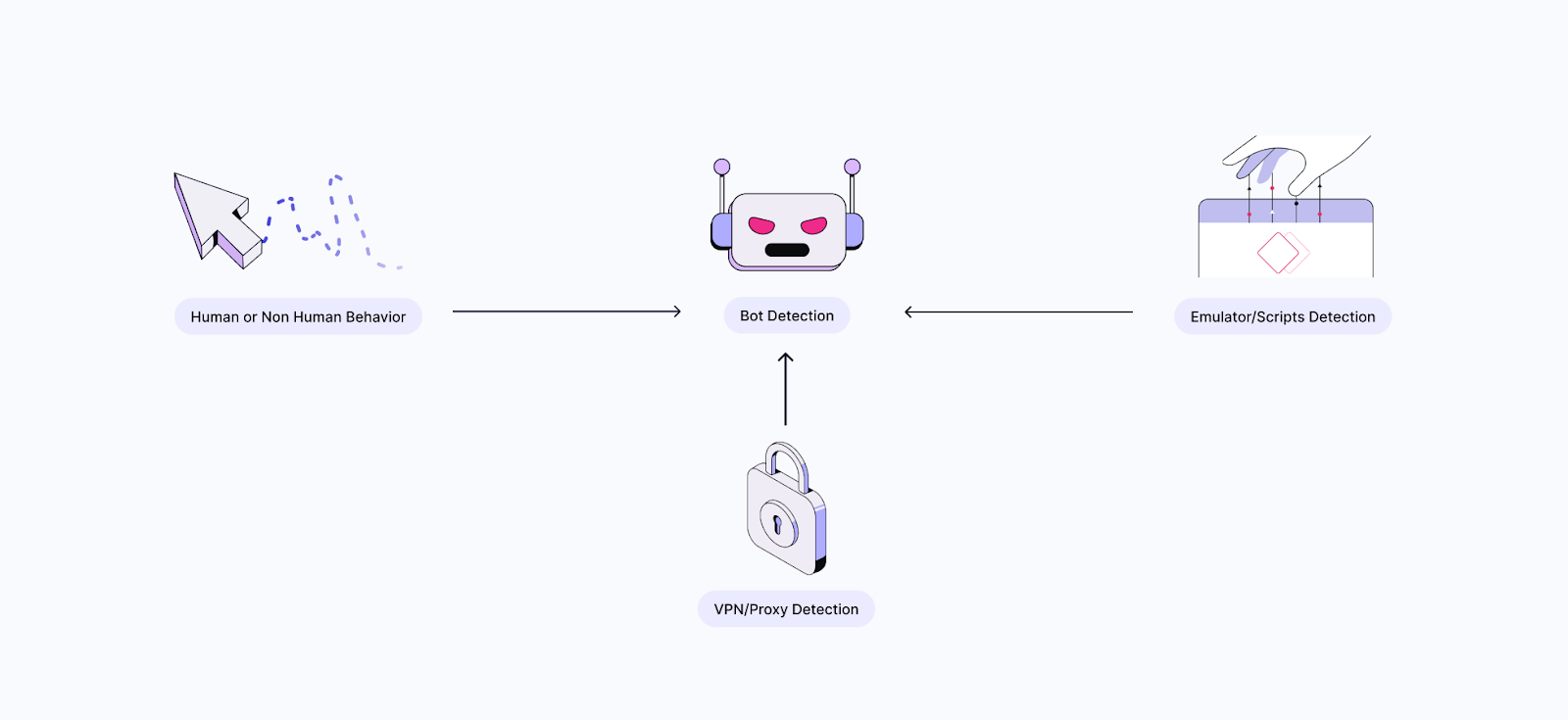
Your scraper still gets obstructed. Because modern-day anti-bot systems don't rely on a single detection method. This guide maps out every detection technique websites use today, from standard to advanced.
Let's go through them all. Anti-bot services keep databases of known bad IPs: import httpx def check_ip_reputation(ip: str) -> dict: """Inspect if an IP is flagged in typical databases.""" checks = # AbuseIPDB resp = ("", params= "ipAddress": ip, headers= "Key": ABUSEIPDB_KEY ). json() checks [" abuse_score"] = resp [" data"] [" abuseConfidenceScore"] # Check if datacenter IP checks [" is_datacenter"] = is_datacenter_ip(ip) return checks def is_datacenter_ip(ip: str) -> bool: """Inspect if IP comes from a known hosting service provider.""" import ipaddress DATACENTER_RANGES = [" 13.0.0.0/ 8", # AWS "34.0.0.0/ 8", # GCP "40.0.0.0/ 8", # Azure "104.16.0.0/ 12", # Cloudflare "157.240.0.0/ 16", # Meta] addr = ipaddress.ip _ address(ip) return any( addr in ipaddress.ip _ network(cidr) for cidr in DATACENTER_RANGES) Get in fullscreen mode Exit fullscreen mode Usage domestic proxies for delicate targets Rotate IPs from different subnets Prevent datacenter IPs for sites with strict anti-bot Websites examine your IP's Autonomous System Number (ASN) to determine hosting suppliers: # What anti-bot services see: # AS7922 (Comcast) Residential # AS7018 (AT&T) Residential # AS16509 (Amazon/AWS) Datacenter # AS14061 (DigitalOcean) Datacenter # AS13335 (Cloudflare) CDN/VPN Enter fullscreen mode Exit fullscreen mode Every HTTP customer has an unique TLS handshake signature: # Different clients, various fingerprints: # Chrome 121: JA3 = 771,4865-4866-4867-49195 ...
curl: JA3 = 771,4865-4867-4866-49195 ... # Option: curl_cffi mimics internet browser TLS from curl_cffi import requests resp = ("", impersonate="chrome120") # Now your JA3 matches Chrome 120 precisely Go into fullscreen mode Exit fullscreen mode Internet browsers send headers in a specific order. Python libraries don't: # Chrome sends: # Host, Connection, sec-ch-ua, sec-ch-ua-mobile, # sec-ch-ua-platform, Upgrade-Insecure-Requests, # User-Agent, Accept, Sec-Fetch-Site ...
Fix: use OrderedDict or curl_cffi headers = "Host": "", "Connection": "keep-alive", "sec-ch-ua": '"Chromium"; v="121"', "sec-ch-ua-mobile": "? 0", "sec-ch-ua-platform": '"Windows"', "Upgrade-Insecure-Requests": "1", "User-Agent": "Mozilla/5.0 ...", "Accept": "text/html, ...", Enter fullscreen mode Exit fullscreen mode HTTP/2 settings (SETTINGS frame, WINDOW_UPDATE, PRIORITY) also create a special finger print: # Chrome's HTTP/2 settings: # HEADER_TABLE_SIZE: 65536 # MAX_CONCURRENT_STREAMS: 1000 # INITIAL_WINDOW_SIZE: 6291456 # MAX_HEADER_LIST_SIZE: 262144 # Python's default: different values # Detectable # curl_cffi handles this automatically # when you utilize impersonate="chrome120" Get in fullscreen mode Exit fullscreen mode Websites render surprise canvas aspects and hash the result:// What anti-bot JS does: const canvas = document.createElement('canvas'); const ctx = canvas.getContext('2d'); ctx.textBaseline="top";="14px Arial"; ctx.fillText("Hi, world!", 2, 2); const hash = canvas.toDataURL(). hashCode();// Various GPUs/drivers = various hash Get in fullscreen mode Exit fullscreen mode const gl = canvas.getContext('webgl'); const debugInfo = gl.getExtension( 'WEBGL_debug_renderer_info' );// Real browser: gl.getParameter(debugInfo.
Next-Gen OCR in CAPTCHA Resolution
A lot of scrapers get blocked at layers 3-4, not 5-7. fixing one layer while ignoring others will not work these catch 55% of bots before JS even runs but they're set off by unnoticeable signals mouse motion and timing matter more each year usage bot detection websites to investigate your setup even perfect stealth can't prevent all challenges For dealing with the CAPTCHA layer when it triggers, take a look at passxapi-python it provides a unified API for reCAPTCHA, hCaptcha, Turnstile, and FunCaptcha, so you can focus on the other layers.
In this tutorial, you will find out the following: What Cloudflare is. High-level methods to bypass Cloudflare. How to bypass the Cloudflare human check in Python.
XEvil proxiesLet's dive in! Cloudflare is a web facilities and security company that runs one of the biggest networks on the internet. It offers an extensive suite of services created to make sites faster and more safe and secure. At its core, Cloudflare functions mainly as a CDN (Content Delivery Network), caching site material on a global network to enhance load times and lower latency.
How to Evade Sophisticated Automation Filters
By incorporating with Cloudflare's network, websites can quickly acquire improved security and enhanced efficiency. This has made Cloudflare the go-to option for millions of sites worldwide. Among the reasons Cloudflare is so popular is its WAF (Web Application Firewall Software). This can be allowed on any web page served through its international network.
More specifically, the Cloudflare WAF sits in front of your web applications. It checks and filters incoming demands in real time to stop attacks or undesirable traffic before they reach your servers or gain access to your websites. As part of its multilayered defense method, the Cloudflare WAF utilizes proprietary algorithms to detect and block harmful bots.
It looks at information like the cipher suites offered, the order of negotiation, and other low-level traits. Bots frequently recycle default or suspicious configurations that vary from those used by real internet browsers.
This includes the specific web browser variation, operating system, set up typefaces or extensions, and even subtle hardware qualities. These information points form a finger print that assists identify real users from automated scripts.: Among the greatest indications of automated traffic is unnatural behavior. Cloudflare displays patterns like quick demands, absence of mouse motions, similar click paths, idle times, and more.
This is among the most intricate anti-bot strategies. Cloudflare normally offers 2 modes of human confirmation: Always show the human confirmation obstacle Automated human verification difficulty (only when suspicious activity is found) Check out both alternatives below! The very first mode is less common however provides stronger security. The idea is to constantly require human confirmation on the first access to a website.
Evaluating Dedicated Hosting Rental for Enterprise Scaling
Try visiting it in incognito mode (to guarantee a fresh session with no cookies), and you will see a CAPTCHA called Cloudflare Turnstile, even if you are a real human user:: By the time you read this short article, StackOverflow's bot defense might have changed or be working differently. In this case, if you are constructing an automated script, the only choice is to automate the Gate CAPTCHA interaction in a human-like way.
That is how it handles to validate you are human with a single click. In this mode, Cloudflare only issues a difficulty if it thinks a request may be from a bot. It does this by providing a JavaScript difficulty, which runs invisibly in the internet browser to verify that the client acts like a genuine user: This process is seamless and normally finishes instantly if you are a human using a regular internet browser.
Considering that this causes very little disturbance for regular users, it is without a doubt the most common Cloudflare mode. If the JavaScript difficulty stops working (significance Cloudflare concludes the client is likely to be a bot), it will intensify to revealing a Turnstile CAPTCHA for human confirmation: Now, you are back to what you saw in the previous scenario.
Automated Access Management Workflows in 2026
This page is protected by the Cloudflare WAF, so the automated JavaScript-based confirmation process will instantly begin. In the background, a series of POST demands are exchanged with Cloudflare's endpoints, transferring encrypted data within their payloads: The precise contents of these payloads are not publicly recorded.